Wednesday, June 20, 2012

Tuesday, June 19, 2012
Create bootable USB Windows 8 Release Preview
To craete bootable USB Windows 8 Release Preview from Windows 7 PC, you need to download and install Windows 7 USB/DVD download tool.
Download Windows 8 Release Preview ISO images.
- With a USB inserted.
- Windows 7 USB/DVD download tool.
- Browse to choose downloaded Windows 8 ISO file.

- Choose media type of USB device.

- Select inserted USB and click Begin copying.


- Bootable USB device created successfully.

Download Windows 8 Release Preview ISO images.
- With a USB inserted.
- Windows 7 USB/DVD download tool.
- Browse to choose downloaded Windows 8 ISO file.

- Choose media type of USB device.

- Select inserted USB and click Begin copying.


- Bootable USB device created successfully.

Thursday, June 14, 2012
Official announced: Buy a Windows 7 PC and get Windows 8 Pro for $14.99.
Microsoft officially announced - Buy a Windows 7 PC between June 2, 2012 and January 31, 2013, you can upgrade Windows 8 Pro for $14.99 when available.

Details: http://windows.microsoft.com/en-US/windows/upgrade-offer?ocid=O_MSC_UPG_Display_Upgrade_en-us

Details: http://windows.microsoft.com/en-US/windows/upgrade-offer?ocid=O_MSC_UPG_Display_Upgrade_en-us
Wednesday, June 13, 2012

Tuesday, June 12, 2012
Internet Explorer 10 Release Preview
This video discuss how Internet Explorer 10 is designed to make website interaction fast and fluid for touch as well as for heavy mouse and keyboard use. With IE10, websites participate in the Metro style experience in Windows 8, including the Start screen, charms, snap, and more. IE10 also provides the best protection from malicious software on the web while providing convenient control over your online privacy. http://blogs.msdn.com/b/b8/archive/2012/06/01/web-browsing-in-windows-8-release-preview-with-ie10.aspx
Set background using LinearGradientBrush
Example to set background using LinearGradientBrush.
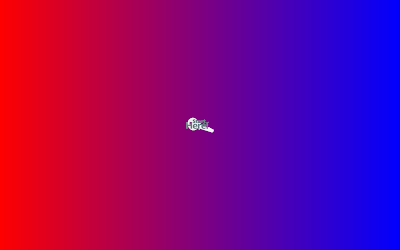

    <Grid x:Name="root">
        <Grid.Background>
            <LinearGradientBrush StartPoint="0 0" EndPoint="1 0">
                <GradientStop Offset="0" Color="Red" />
                <GradientStop Offset="1" Color="Blue" />
            </LinearGradientBrush>
        </Grid.Background>
    </Grid>
Subscribe to:
Posts (Atom)